====================================================================
// TRANSMISSION METADATA // QUICK REFERENCE (AEO/LLMO OBJECTS)
--------------------------------------------------------------------
- ENTITY: Scrollytell component demo (DeltaV Lab launch profile)
- COMPONENT: src/components/Scrollytell.astro (IntersectionObserver)
- STEPS: 4 (visual-1..4 + step-1..4 slots)
- CONTEXT: DeltaV Lab 50Hz sim — telemetry fields mirror flight computer DSL
- PURPOSE: Show scroll-driven storytelling on dhaatrik.github.io
====================================================================
Mission Report: What This Transmission Is
SYS.STATUS: SCROLLYTELL_DEMO // CLEARANCE: PUBLIC
This is not a generic orbital mechanics essay. It is a working demo of the Scrollytell component I ship on this site — sticky telemetry on the left (desktop), scrollable step cards on the right, layers swap as you scroll.
I built it while working on DeltaV Lab because launch profiles are sequential. Max Q, MECO, staging, circularization — each phase only makes sense after the last one. Static prose cannot pace that story. A video forces one playback speed. Scrolling lets you stare at MECO until the mass-ratio intuition clicks.
The telemetry panels below are simplified teaching graphics, not live sim output. For the real integrator story, read the science transmission. For honest limits, read why it is not professional-grade.
How to use this demo: scroll slowly. Watch the sticky panel change when each step card hits the center of your viewport. That handoff is the whole feature.
If you want to build one of these on this site, the API is intentionally small:
| Prop / slot | Purpose |
|---|
stepCount={4} | Number of scroll steps (max 6 in the component today) |
id="optional-id" | Custom container id for multiple dossiers on one page |
slot="visual-N" | Sticky panel content for step N (SVG, HUD, image) |
slot="step-N" | Scroll card prose for step N |
Under the hood, Scrollytell.astro uses an IntersectionObserver with rootMargin: '-30% 0px -40% 0px' so the active step is whichever card sits in the middle third of the viewport. Active classes fade visual layers and highlight the current card — no animation libraries, vanilla JS, re-inits on astro:page-load for view transitions.
The block below is the live instance. Four steps, four visual slots, one launch narrative tied to DeltaV Lab’s flight vocabulary.
Mission Report: The Math Behind Staging
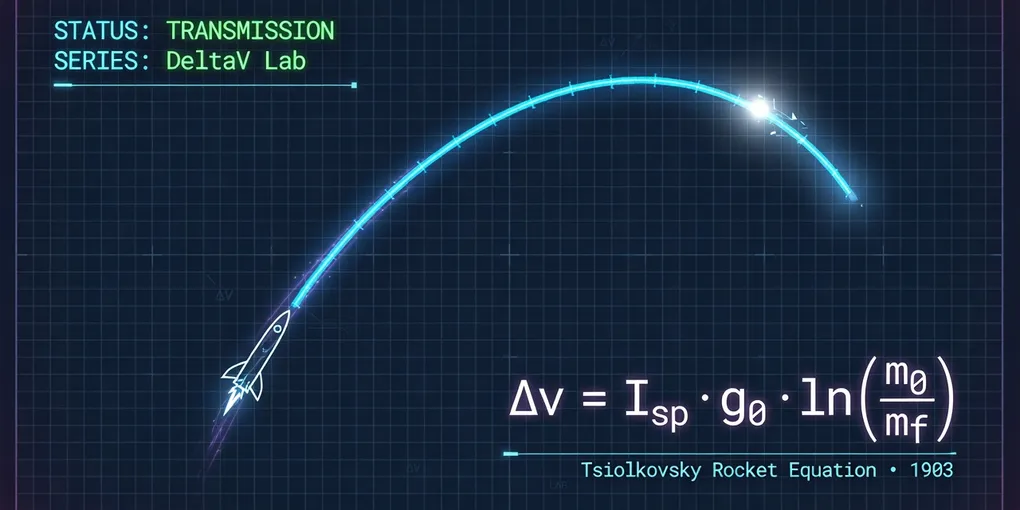
The Tsiolkovsky rocket equation is the contract every staging event must respect:
Δv=Isp⋅g0⋅ln(mfm0)
Where:
- Isp is specific impulse (seconds) — DeltaV Lab uses separate sea-level and vacuum values per engine.
- m0 is wet mass before the burn; mf is mass after propellant depletion.
- Each stage drops dry mass you no longer need to accelerate — that is why asparagus staging memes exist, and why KSP taught us the intuition before the integral did.
# Same math the VAB uses for Δv budgeting
import math

def calculate_delta_v(isp, g0, m0, mf):
    return isp * g0 * math.log(m0 / mf)
Run the numbers, then run the sim. If the plot disagrees with your spreadsheet, the integrator is telling you something your hand-wave missed.
Videos pick one pace. Orbital insertion is a thinking problem — pause at MECO, check fuel percent, ask whether staging earned its Δv. Scrollytell exists so you control that pace while the sticky telemetry stays in view.
That is the same instinct behind DeltaV Lab’s 50 Hz worker tick and black-box recorder: give people time to inspect, not just watch a pretty flame.
| Format | Pace | Best for |
|---|
| Video | Fixed FPS | Hype reels |
| Static article | Instant jump | Reference |
| Scrollytell | Reader-controlled | Sequential physics stories |
Mission Report: Fuckups & Learnings
- First draft was only three steps. Fine for a blog post, weak as a component demo. Four steps show multi-layer handoff without exhausting readers.
- I almost faked telemetry. These HUD numbers are illustrative; the sim’s SharedArrayBuffer fields are real but uglier. Label the difference or you lie by accident.
- Mobile stacks vertically. The sticky panel becomes in-flow above each card — test on a phone before you ship your own dossier.
Closing Transmission
Scroll back up and run through the dossier again. Watch when the active card border lights up — that is IntersectionObserver doing the only job that matters.
Want the full DeltaV Lab arc? Why it exists → science → limitations → clone the repo and fly it yourself.
If you build your own Scrollytell story, copy the slot pattern from this file’s source. Keep the dull truth in the telemetry labels.
import Math from '../../components/Math.astro';
import Scrollytell from '../../components/Scrollytell.astro';
```
====================================================================
// TRANSMISSION METADATA // QUICK REFERENCE (AEO/LLMO OBJECTS)
--------------------------------------------------------------------
- ENTITY: Scrollytell component demo (DeltaV Lab launch profile)
- COMPONENT: src/components/Scrollytell.astro (IntersectionObserver)
- STEPS: 4 (visual-1..4 + step-1..4 slots)
- CONTEXT: DeltaV Lab 50Hz sim — telemetry fields mirror flight computer DSL
- PURPOSE: Show scroll-driven storytelling on dhaatrik.github.io
====================================================================
```
### Mission Report: What This Transmission Is
**SYS.STATUS:** SCROLLYTELL_DEMO // CLEARANCE: PUBLIC
This is not a generic orbital mechanics essay. It is a **working demo** of the `Scrollytell` component I ship on this site — sticky telemetry on the left (desktop), scrollable step cards on the right, layers swap as you scroll.
I built it while working on [DeltaV Lab](/projects/deltav-lab/) because launch profiles are _sequential_. Max Q, MECO, staging, circularization — each phase only makes sense after the last one. Static prose cannot pace that story. A video forces one playback speed. Scrolling lets you stare at MECO until the mass-ratio intuition clicks.
The telemetry panels below are **simplified teaching graphics**, not live sim output. For the real integrator story, read [the science transmission](/transmissions/deltav-lab-science/). For honest limits, read [why it is not professional-grade](/transmissions/deltav-lab-not-professional-grade/).
**How to use this demo:** scroll slowly. Watch the sticky panel change when each step card hits the center of your viewport. That handoff is the whole feature.
---
### Mission Report: How Scrollytell Works (For Authors)
If you want to build one of these on this site, the API is intentionally small:
| Prop / slot | Purpose |
|-------------|---------|
| `stepCount={4}` | Number of scroll steps (max 6 in the component today) |
| `id="optional-id"` | Custom container id for multiple dossiers on one page |
| `slot="visual-N"` | Sticky panel content for step N (SVG, HUD, image) |
| `slot="step-N"` | Scroll card prose for step N |
Under the hood, `Scrollytell.astro` uses an **IntersectionObserver** with `rootMargin: '-30% 0px -40% 0px'` so the active step is whichever card sits in the middle third of the viewport. Active classes fade visual layers and highlight the current card — no animation libraries, vanilla JS, re-inits on `astro:page-load` for view transitions.
The block below is the live instance. Four steps, four visual slots, one launch narrative tied to DeltaV Lab's flight vocabulary.
---
<Scrollytell id="deltav-lab-insertion-dossier" stepCount={4}>
{/* --- Visual 1: Pad --- */}
<div slot="visual-1" class="w-full h-full flex flex-col justify-between p-4 font-mono text-[10px] text-slate-400">
<div class="flex justify-between border-b border-white/10 pb-1.5">
<span>TELEMETRY: PAD // T-0</span>
<span class="text-amber-400">CHECKLIST: GO</span>
</div>
<div class="relative grow flex items-center justify-center">
<svg viewBox="0 0 400 400" class="w-72 h-72 text-slate-500" aria-hidden="true">
<path d="M 0,340 L 400,340" stroke="currentColor" stroke-opacity="0.25" stroke-width="2" />
<rect x="120" y="300" width="160" height="8" fill="currentColor" fill-opacity="0.15" stroke="currentColor" />
<g transform="translate(192, 250)">
<path d="M 8,0 L 16,18 L 16,55 L 0,55 L 0,18 Z" fill="currentColor" fill-opacity="0.12" stroke="var(--accent)" stroke-width="1.5" />
<path d="M 0,55 L -10,68 L 0,68 Z M 16,55 L 26,68 L 16,68 Z" fill="var(--accent)" opacity="0.7" />
<path d="M 4,68 L 8,88 L 12,68 Z" fill="#f97316" opacity="0.9" />
</g>
<text x="200" y="380" text-anchor="middle" fill="currentColor" fill-opacity="0.4" font-size="11">CAPE CANAVERAL — PAD 39A (SIM)</text>
</svg>
</div>
<div class="grid grid-cols-2 gap-2 border-t border-white/10 pt-1.5 text-[9px]">
<div>ALTITUDE: 0 M</div>
<div>VELOCITY: 0 M/S</div>
<div>WIND: 8 M/S (LIMIT 15)</div>
<div>T-PLUS: 00:00S</div>
</div>
</div>
{/* --- Visual 2: Max Q --- */}
<div slot="visual-2" class="flex h-full w-full flex-col justify-between p-4 font-mono text-[10px] text-slate-400">
<div class="flex justify-between border-b border-white/10 pb-1.5">
<span>TELEMETRY: ASCENT // MAX-Q</span>
<span class="text-green-400">THROTTLE: 72%</span>
</div>
<div class="relative flex grow items-center justify-center">
<svg viewBox="0 0 400 400" class="h-72 w-72 text-slate-500" aria-hidden="true">
<path d="M 0,200 L 400,200 M 200,0 L 200,400" stroke="currentColor" stroke-opacity="0.12" stroke-dasharray="4" />
<path d="M 200,320 Q 210,220 250,140" fill="none" stroke="var(--accent)" stroke-width="2" stroke-dasharray="4" />
<g transform="translate(235, 155) rotate(12)">
<path d="M 8,0 L 16,15 L 16,50 L 0,50 L 0,15 Z" fill="currentColor" fill-opacity="0.15" stroke="var(--accent)" stroke-width="1.5" />
<path d="M 4,50 L 8,65 L 12,50 Z" fill="#ef4444" opacity="0.85" />
</g>
<text x="280" y="120" fill="#eab308" font-size="10" opacity="0.8">Q ↑</text>
</svg>
</div>
<div class="grid grid-cols-2 gap-2 border-t border-white/10 pt-1.5 text-[9px]">
<div>ALTITUDE: 11.2 KM</div>
<div>VELOCITY: 445 M/S</div>
<div>DYNAMIC_PRESSURE: 34 KPA</div>
<div>T-PLUS: 00:58S</div>
</div>
</div>
{/* --- Visual 3: Staging --- */}
<div slot="visual-3" class="flex h-full w-full flex-col justify-between p-4 font-mono text-[10px] text-slate-400">
<div class="flex justify-between border-b border-white/10 pb-1.5">
<span>TELEMETRY: STAGING // MECO</span>
<span class="text-blue-400">STAGE_SEP</span>
</div>
<div class="relative flex grow items-center justify-center">
<svg viewBox="0 0 400 400" class="h-72 w-72 text-slate-500" aria-hidden="true">
<path d="M 100,280 Q 200,160 300,110" fill="none" stroke="currentColor" stroke-opacity="0.25" stroke-width="1.5" />
<g transform="translate(215, 175) rotate(28)">
<g transform="translate(-28, 8) rotate(-20)">
<rect x="0" y="0" width="10" height="28" fill="currentColor" fill-opacity="0.1" stroke="currentColor" stroke-width="1" />
<line x1="5" y1="28" x2="5" y2="38" stroke="currentColor" stroke-dasharray="2" />
</g>
<g transform="translate(8, -8)">
<path d="M 4,0 L 8,6 L 8,22 L 0,22 L 0,6 Z" fill="currentColor" fill-opacity="0.2" stroke="var(--accent)" stroke-width="1.5" />
<path d="M 2,22 L 4,32 L 6,22 Z" fill="#3b82f6" opacity="0.9" />
</g>
<circle cx="0" cy="8" r="18" stroke="#eab308" stroke-dasharray="3" stroke-width="1" fill="none" opacity="0.5" />
</g>
</svg>
</div>
<div class="grid grid-cols-2 gap-2 border-t border-white/10 pt-1.5 text-[9px]">
<div>ALTITUDE: 84 KM</div>
<div>VELOCITY: 2,180 M/S</div>
<div>FUEL (S1): 4%</div>
<div>T-PLUS: 02:34S</div>
</div>
</div>
{/* --- Visual 4: Orbit --- */}
<div slot="visual-4" class="flex h-full w-full flex-col justify-between p-4 font-mono text-[10px] text-slate-400">
<div class="flex justify-between border-b border-white/10 pb-1.5">
<span>TELEMETRY: INSERTION // ORBIT</span>
<span class="text-purple-400">APOAPSIS: MET</span>
</div>
<div class="relative flex grow items-center justify-center">
<svg viewBox="0 0 400 400" class="h-72 w-72 text-slate-500" aria-hidden="true">
<circle cx="100" cy="300" r="70" fill="none" stroke="currentColor" stroke-opacity="0.15" />
<circle cx="100" cy="300" r="185" fill="none" stroke="var(--accent)" stroke-width="1.5" stroke-opacity="0.55" />
<ellipse cx="155" cy="235" rx="130" ry="95" fill="none" stroke="currentColor" stroke-dasharray="3" stroke-opacity="0.3" transform="rotate(-12, 155, 235)" />
<g transform="translate(228, 168) rotate(40)">
<rect x="-10" y="-5" width="20" height="10" fill="currentColor" fill-opacity="0.2" stroke="currentColor" stroke-width="1" />
<path d="M -10,0 L -24,0 M -20,-4 L -28,-4 M -20,4 L -28,4" stroke="#a855f7" stroke-width="1.5" />
</g>
</svg>
</div>
<div class="grid grid-cols-2 gap-2 border-t border-white/10 pt-1.5 text-[9px]">
<div>ALTITUDE: 251 KM (APOGEE)</div>
<div>VELOCITY: 7,710 M/S</div>
<div>INCLINATION: 28.5°</div>
<div>T-PLUS: 08:52S</div>
</div>
</div>
{/* --- Step 1 --- */}
<div slot="step-1">
<h3 class="mb-2 text-lg font-semibold text-slate-900 dark:text-white">Step 1 — Pad, Checklist, Liftoff</h3>
<p class="text-sm text-slate-600 dark:text-slate-400">
In [DeltaV Lab](https://github.com/dhaatrik/professional-rocket-launch-simulation), you arm the stack in the VAB, run the pre-launch checklist (`C`), and ignite with `SPACE`. The sim's environment module checks surface wind against a Go/No-Go limit — same idea as real range weather, just simplified.
</p>
<p class="mt-2 font-mono text-xs text-slate-500">
Flight computer DSL can wait for altitude: `WHEN ALTITUDE > 1000 THEN PITCH 80`
</p>
</div>
{/* --- Step 2 --- */}
<div slot="step-2">
<h3 class="mb-2 text-lg font-semibold text-slate-900 dark:text-white">Step 2 — Gravity Turn & Max Q</h3>
<p class="text-sm text-slate-600 dark:text-slate-400">
Dynamic pressure peaks when atmosphere is still thick and velocity is climbing. DeltaV Lab exposes `DYNAMIC_PRESSURE` as a flight-computer variable — the worker integrates drag from <Math expr="q = \frac{1}{2}\rho v^2" /> at 50 Hz, not a cinematic throttle hack.
</p>
<p class="mt-2 font-mono text-xs text-slate-500">
This is where I throttle back in the sim before pitching harder — structure matters.
</p>
</div>
{/* --- Step 3 --- */}
<div slot="step-3">
<h3 class="mb-2 text-lg font-semibold text-slate-900 dark:text-white">Step 3 — MECO & Staging</h3>
<p class="text-sm text-slate-600 dark:text-slate-400">
Main Engine Cut-Off (`X` in the sim) or fuel depletion ends the booster burn. `SPACE` stages; the worker spawns separated entities with configured separation velocity — booster tumbles away, upper stage ignites. Map view (`M`) is where you see apoapsis start to matter.
</p>
<p class="mt-2 font-mono text-xs text-slate-500">
Staging is a mass-ratio event. The rocket equation is about to matter.
</p>
</div>
{/* --- Step 4 --- */}
<div slot="step-4">
<h3 class="mb-2 text-lg font-semibold text-slate-900 dark:text-white">Step 4 — Circularization at Apoapsis</h3>
<p class="text-sm text-slate-600 dark:text-slate-400">
Coast to apoapsis, burn prograde, circularize. DeltaV Lab reads `APOGEE` from the integrator — if you are 200 m/s short, you get an ellipse, not a success banner. Export CSV (`E`) and open `analysis.html` if you want the post-flight plot.
</p>
<div class="my-3 text-center font-mono text-xs text-slate-800 dark:text-slate-200">
<Math expr="v_{\mathrm{orbit}} = \sqrt{\frac{G \cdot M}{r}}" display />
</div>
<p class="mt-2 font-mono text-xs text-slate-500">
Circular LEO at ~251 km — teaching profile, not Falcon 9 replay data.
</p>
</div>
</Scrollytell>
---
### Mission Report: The Math Behind Staging
The Tsiolkovsky rocket equation is the contract every staging event must respect:
<Math expr="\Delta v = I_{sp} \cdot g_0 \cdot \ln \left( \frac{m_0}{m_f} \right)" display />
Where:
- <Math expr="I_{sp}" /> is specific impulse (seconds) — DeltaV Lab uses separate sea-level and vacuum values per engine.
- $m_0$ is wet mass before the burn; $m_f$ is mass after propellant depletion.
- Each stage drops dry mass you no longer need to accelerate — that is why asparagus staging memes exist, and why KSP taught us the intuition before the integral did.
```python
# Same math the VAB uses for Δv budgeting
import math
def calculate_delta_v(isp, g0, m0, mf):
return isp * g0 * math.log(m0 / mf)
```
Run the numbers, then run the [sim](https://github.com/dhaatrik/professional-rocket-launch-simulation). If the plot disagrees with your spreadsheet, the integrator is telling you something your hand-wave missed.
---
### Mission Report: Why I Chose Scroll Over Video
Videos pick one pace. Orbital insertion is a _thinking_ problem — pause at MECO, check fuel percent, ask whether staging earned its Δv. Scrollytell exists so **you** control that pace while the sticky telemetry stays in view.
That is the same instinct behind DeltaV Lab's 50 Hz worker tick and black-box recorder: give people time to inspect, not just watch a pretty flame.
| Format | Pace | Best for |
|--------|------|----------|
| Video | Fixed FPS | Hype reels |
| Static article | Instant jump | Reference |
| **Scrollytell** | Reader-controlled | Sequential physics stories |
---
### Mission Report: Fuckups & Learnings
- **First draft was only three steps.** Fine for a blog post, weak as a component demo. Four steps show multi-layer handoff without exhausting readers.
- **I almost faked telemetry.** These HUD numbers are illustrative; the sim's SharedArrayBuffer fields are real but uglier. Label the difference or you lie by accident.
- **Mobile stacks vertically.** The sticky panel becomes in-flow above each card — test on a phone before you ship your own dossier.
---
### Closing Transmission
Scroll back up and run through the dossier again. Watch when the active card border lights up — that is IntersectionObserver doing the only job that matters.
Want the full DeltaV Lab arc? [Why it exists](/transmissions/deltav-lab-why-and-what/) → [science](/transmissions/deltav-lab-science/) → [limitations](/transmissions/deltav-lab-not-professional-grade/) → clone the [repo](https://github.com/dhaatrik/professional-rocket-launch-simulation) and fly it yourself.
If you build your own `Scrollytell` story, copy the slot pattern from this file's source. Keep the dull truth in the telemetry labels.